Image SEO best practices: what better website photos can (and can’t) do for your search and AI visibility

Can upgrading your website photography actually moves the needle on Google and AI search?
You’ve probably heard some version of the pitch: better photos will help your SEO. Maybe a designer mentioned it, maybe you read it on a blog, maybe a sales rep for a photo package slipped it in. And if you run a business in the Tri-Cities or anywhere else, it’s a fair question. Is that real, or is it just a nice reason to sell you a photo shoot?
Here’s the short version: yes, your images factor into how you show up in search and in AI-generated answers. But the way they help is more specific, and more limited, than “better photos rank you higher.”
This post walks through what’s actually true, straight from Google’s own guidance, so you can decide whether new photography belongs at the top of your to-do list or a little further down it.
Before you book your next photo shoot, here’s what photos really do for search
- Your images are a real ranking and visibility signal, but a supporting one. They help a page that’s already useful, and won’t rescue a page that isn’t.
- The parts of image SEO that move the needle are mostly technical and textual: descriptive alt text, clear file names, fast loading, and placing images near relevant text.
- Google rewards high-quality, original images and says they create “more opportunities for your website to appear beyond web page links” in AI-generated results.
- Stock photos aren’t penalized, but they can’t do the one thing original photos can: show the real thing a searcher or an AI system is trying to evaluate.
- Better photography is worth doing for trust and conversions first. The search and AI-visibility gains come along for the ride.
Can better website photos actually improve search rankings?
Short answer: not directly, and not on their own. Images are one signal among hundreds, and Google’s ranking systems care most about whether your page genuinely answers what someone’s looking for.
What images do is a little different. They make a good page easier to find, easier to trust, and easier to surface in places beyond the standard blue links: Google Images, image packs, and increasingly AI-generated results. Google’s own image documentation puts it plainly, noting that high-quality images “appeal more to users than blurry, unclear images” and increase the likelihood someone clicks through.
So the honest framing isn’t “photos improve rankings.” It’s “photos help a page that deserves to rank actually get seen.” That’s a meaningful difference, and it’s the gap between a realistic expectation and a disappointment three months from now.
Pro tip: Before you invest in new photography, open your best page and ask whether the content itself answers the visitor’s question. If it doesn’t, fix the words first. Great photos on a thin page won’t carry it.
What image SEO best practices actually move the needle
When people say “image SEO,” they usually picture the photos themselves. But most of what Google can actually read about an image is text and technical detail. These are the on-page SEO fundamentals worth getting right on every image you publish:
- Descriptive alt text. Alt text tells search engines and screen readers what an image shows. Google’s advice is to describe the image naturally, like “Dalmatian puppy playing fetch,” not a pile of keywords. Google specifically warns that stuffing alt attributes with keywords “results in a negative user experience.”
- Clear file names. A name like front-porch-repair.jpg tells Google more than IMG_00023.JPG. Google recommends filenames that are “short, but descriptive.”
- Fast loading. Large, uncompressed images slow your page down, and speed affects both rankings and whether visitors stay. Compress images and use modern formats before you upload them.
- Placement near relevant text. Google reads the words around an image to understand it, so put photos next to the content they illustrate, not floating in a gallery with no context.
- Real image tags. Google can index a standard image on the page but not one loaded purely as a CSS background. If an image matters, make sure it’s an actual image element.
Notice what’s on that list and what isn’t. None of it requires a professional photo shoot. For the robots’ purposes, a well-named, well-described, fast-loading smartphone photo will out-perform a gorgeous studio image with a filename like DSC_4471.jpg and no alt text.
But optimizing for the robots is only half the job.
Real people judge your business by your photos too, and a set of professional photos can be reused across your site, ads, and profiles, which is where you get the most mileage out of the investment. If you’re weighing whether your phone is good enough to start with, it can be a reasonable place to begin.

Why original website photos beat stock for search and AI visibility
This is the part that actually justifies better photography, and it isn’t the technical checklist above. It’s originality.
Google has been increasingly clear that it wants unique, first-hand content, and that extends to images. In its guide to optimizing for generative AI features, Google notes that its AI search features “can bring in relevant images and video, which means more opportunities for your website to appear beyond web page links.” Original photos of your actual work, team, space, and products are exactly the kind of first-hand signal a generic stock image can’t provide.
Think about what an AI system or a searcher is trying to do: figure out whether you’re the real thing.
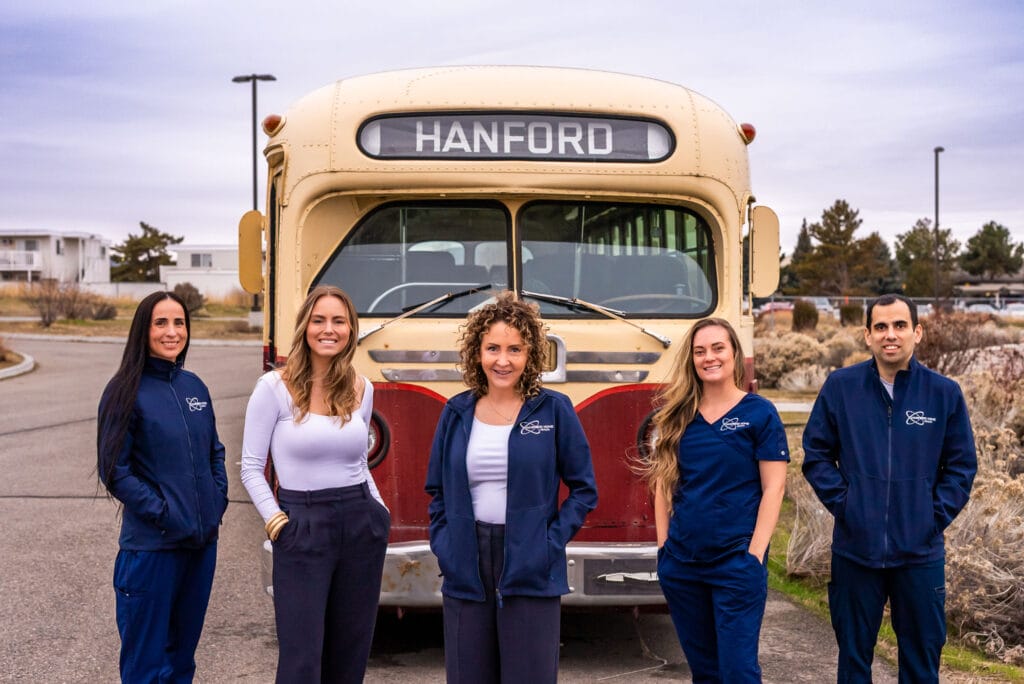
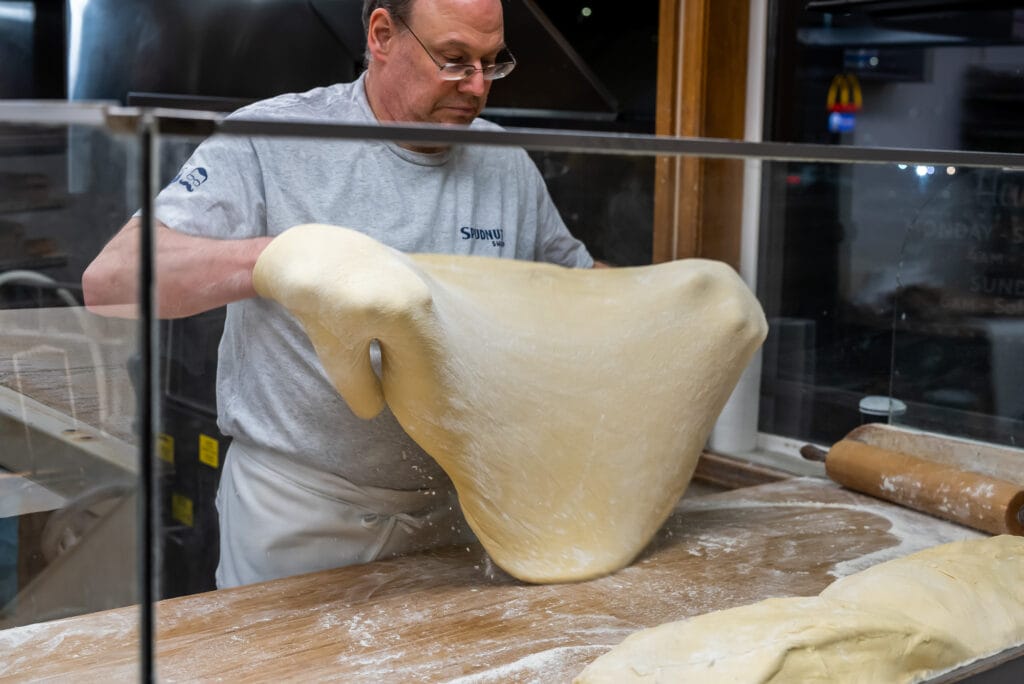
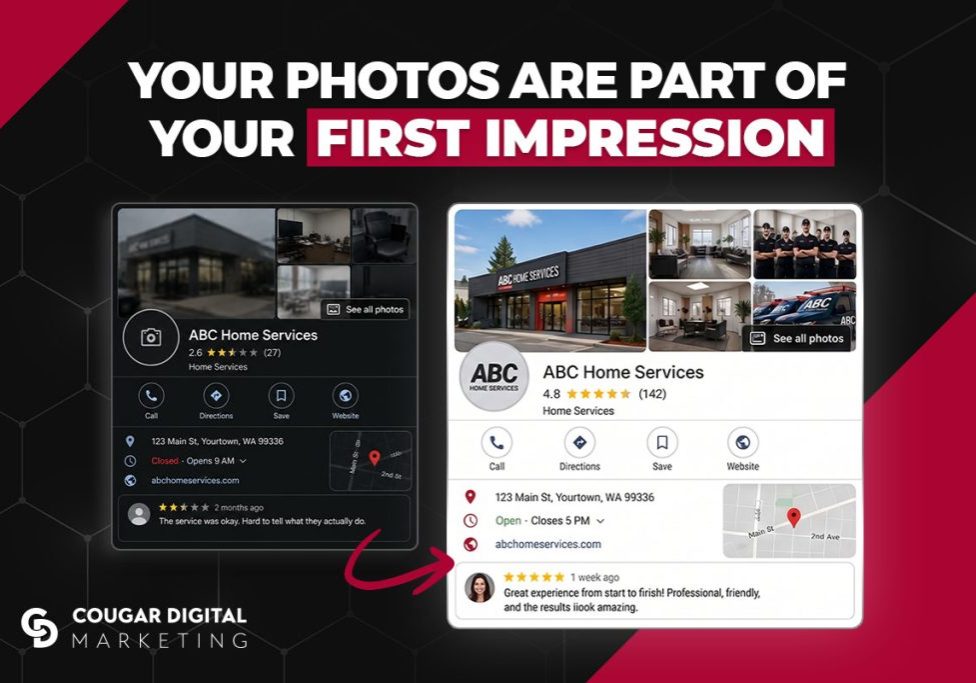
A stock photo of a smiling stranger in a hard hat tells them nothing about your business. A real photo of your crew on a real job site tells them a lot. Same idea for a restaurant’s actual plates, a boutique’s actual shelves, a clinic’s actual waiting room.
Can original website photos improve search rankings by themselves? No. But they make everything around them more credible, and credibility is what both Google and AI tools are ultimately trying to measure. It’s the same reason your photos on your Google Business Profile carry as much weight as the ones on your site: they’re first-hand evidence, sitting in the exact spot people check before they call.
Try it yourself: Pull up your homepage and count how many images are stock versus original. If more than half are stock, pick your single most important page and swap in real photos of your actual business first.
How photos help you show up in AI search and Google’s AI features
AI-generated answers, from Google’s AI Overviews and AI Mode to tools like ChatGPT, are changing what “showing up” even means. Images are part of that shift.
Google has said directly that optimizing for its generative AI features is “still SEO,” rooted in the same core ranking systems. There’s no separate set of tricks to learn. But it has also pointed out that these features pull in relevant images and video, which means a page with strong, well-described visuals has more ways to appear than one that’s all text.

Here’s what that looks like in practice for getting found in AI-driven search:
- Well-labeled original images give AI systems more to work with when they build an answer that includes a visual.
- Images placed in context reinforce what your page is about, which helps both traditional and AI search understand it.
- You don’t need special markup, “AI files,” or content chopped into tiny pieces. Google has explicitly said none of that is required.
The takeaway: good image practices aren’t a separate AI strategy. They’re the same fundamentals, paying off in a new place.
What website photography can’t do on its own
It’s worth being just as clear about the limits, because overpromising here is exactly how businesses end up let down.
- Photos won’t fix a page that doesn’t answer the question. If your content is thin or off-topic, no image saves it.
- A photo shoot isn’t an SEO strategy. It’s one input. Rankings still depend on content quality, site structure, links, and relevance.
- Beautiful images with no alt text or huge file sizes can actually hurt. Presentation without the technical basics is a missed opportunity, and slow-loading images drag down the whole page.
- More images isn’t automatically better. A few strong, relevant photos beat a stuffed gallery that slows the page and blurs your focus.
If you take one thing from this, take this: better photography is genuinely worth doing, mostly because it builds trust and helps people say yes, and the SEO and AI-visibility gains ride along with that. Leading with “it’ll boost my rankings” gets the order backwards.
How to start improving your image SEO this week
You don’t need a full photo shoot to make progress. Pick your single most important page, usually your homepage or top service page, and do four things:
- Write real, descriptive alt text for every image
- Rename any files still called something like IMG_1234.jpg
- Compress anything that’s slowing the page down
- Wherever you’re using a stock photo of something you could show for real, add it to the list to replace with an original
That’s an afternoon of work, and it captures most of the image SEO best practices that actually matter, before you spend a dollar on new photography.
Not sure whether your website photos are helping or quietly holding you back? Wondering if it’s even worth booking a photo shoot yet? Reach out to Cougar Digital and we’re happy to take a look and tell you honestly where your time and budget are best spent.
Get a FREE marketing analysis & consultation!
In about 30 minutes, we'll cover your:
-
Business Goals and Challenges
-
Current Marketing Efforts
-
Target Audience and Market Insights
-
Competitor Analysis
-
Customized Growth Opportunities

Still curious? There's more where that came from.




Cougar Digital Marketing is a web design and digital marketing agency based in Tri-Cities and Prosser, Washington. We build custom websites, handle SEO, manage digital advertising, and provide photo and video support to help businesses grow. Questions? We're easy to reach.